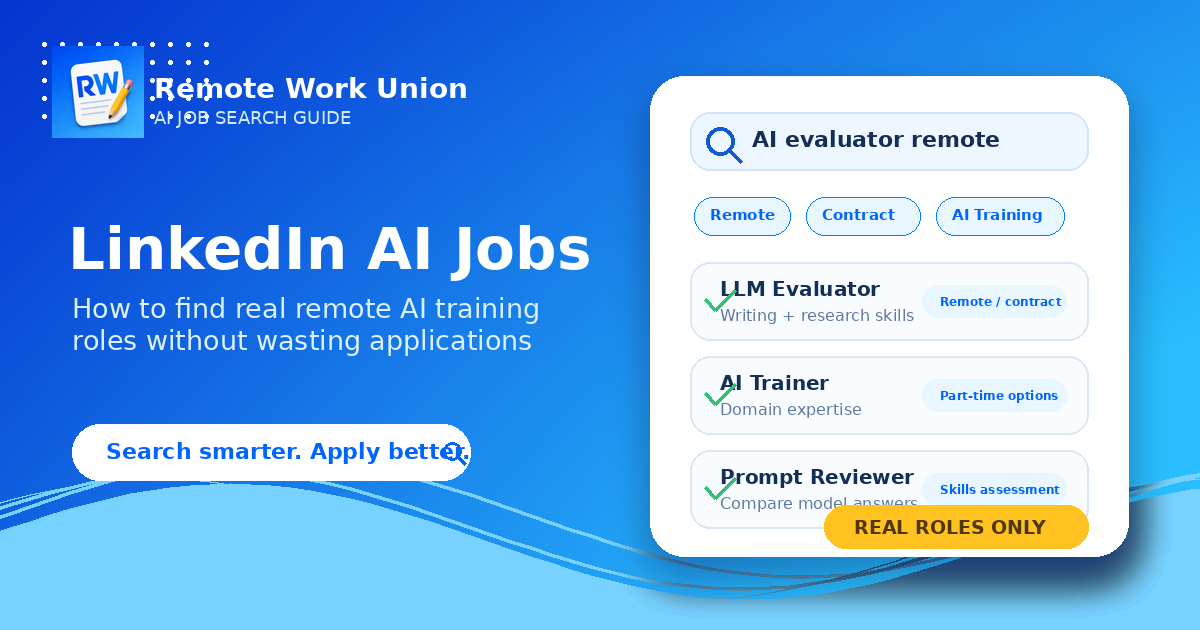
A search for LinkedIn AI jobs can send you in a dozen different directions. Some listings are full-time machine learning engineering roles. Some are product or marketing jobs at AI companies. Others are remote contract roles where humans review AI answers, rank model outputs, label data, write prompts, fact-check responses, or provide expert feedback for large language models. For most job seekers looking for flexible online work, the real opportunity is usually not a traditional AI engineering job. It is AI training work: human review, model evaluation, prompt response writing, data annotation, RLHF rating, search quality review, and subject matter expert evaluation. LinkedIn can help you find those roles, but only if you search with the right keywords and filter out vague or risky posts. This guide explains how to use LinkedIn more strategically, what terms to search, how to identify legitimate remote AI training roles, and how to set up your profile so recruiters and platforms can understand why you are qualified.
What People Usually Mean by "LinkedIn AI Jobs"
The phrase LinkedIn AI jobs is broad. A person searching that phrase might be looking for a job at OpenAI, Anthropic, Google, Meta, Microsoft, xAI, or another major AI company. Another person might be looking for any remote job related to AI. A third person might want contract work they can do from home without becoming a software engineer. Those are very different searches.
LinkedIn has plenty of AI-related listings, but the job title matters. If you only type AI jobs into the search bar, you will see a messy mix of software engineering, sales, product, research, data science, recruiting, and content roles. That can make the market look harder to understand than it actually is.
For remote AI training work, use narrower terms. You are usually looking for roles that involve reviewing outputs, rating quality, improving prompts, checking facts, or applying professional knowledge to AI-generated answers. The listing may not use the phrase AI training at all. It may say AI evaluator, LLM reviewer, AI data annotator, model response reviewer, prompt evaluator, search quality rater, or subject matter expert.
The Role Names to Search First
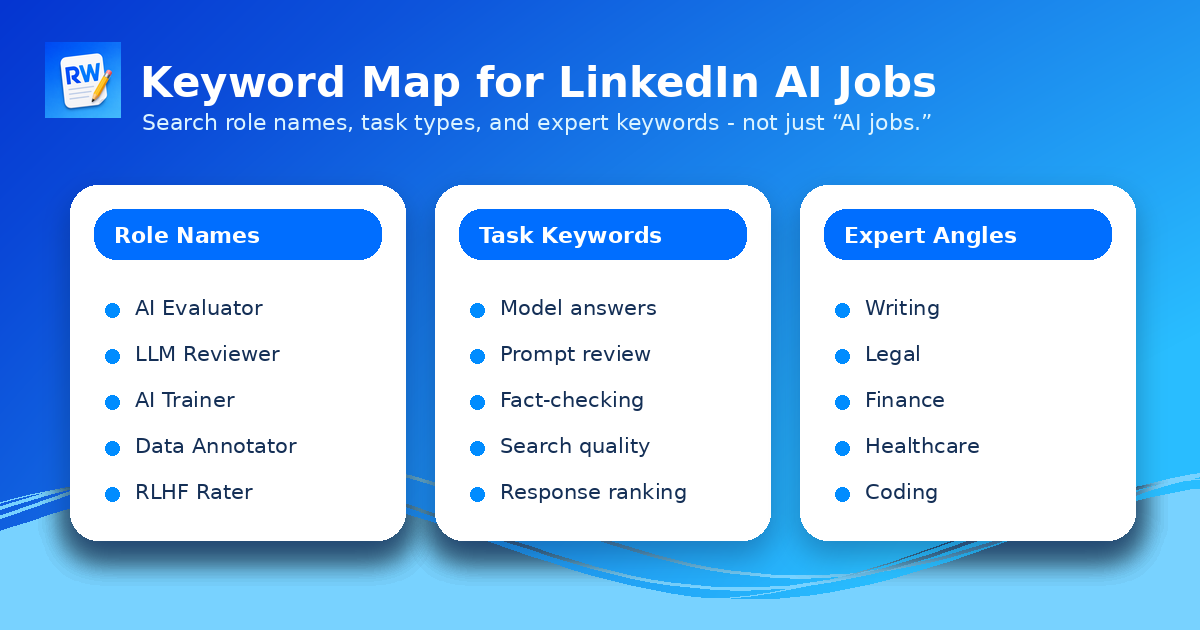
Start with role names that describe the work. These searches usually perform better than a broad search for AI jobs because they match the language used by platforms, staffing agencies, and companies hiring remote contractors. Useful searches include: AI evaluator remote, AI trainer contract, LLM evaluator, LLM reviewer, AI data annotator, prompt evaluator, prompt response writer, RLHF rater, model response reviewer, search quality rater, chatbot evaluator, AI content reviewer, AI writing evaluator, and generative AI evaluator.
Then add your expertise. A lawyer might search legal AI evaluator, legal LLM reviewer, or AI training legal expert. A finance professional might search finance AI evaluator, investment research AI reviewer, or financial analysis AI training. A teacher might search education AI evaluator or tutoring AI reviewer. A strong writer might search AI writing evaluator, AI editor, or prompt response writer. The goal is to combine the AI task with the skill you already have. That is how you avoid competing only on generic interest in AI.
- AI evaluator remote
- LLM reviewer contract
- AI trainer freelance
- Prompt evaluator
- RLHF rater
- AI writing evaluator
- Search quality rater
- Subject matter expert AI training
Search Beyond the Jobs Tab
The Jobs tab is the obvious place to begin, but LinkedIn AI roles can also show up in posts, company pages, recruiter updates, and founder announcements. Some remote AI training platforms post openings through company pages before they appear in job alerts. Some recruiters describe new projects in posts using language like hiring AI evaluators, looking for subject matter experts, or seeking writers for LLM review projects.
Use the search bar for posts as well as jobs. Search phrases like hiring AI evaluators, remote AI training, LLM reviewer, AI data annotation, and expert AI evaluation. Then sort by recent posts when that option is useful. You are not trying to scroll forever. You are looking for repeated signals: the same company, the same role language, the same application process, or the same kind of assessment.
Company pages are useful for another reason: they help you verify whether a listing is connected to a real organization. If a post claims to represent a company but the company page has no employees, no website, no history, and no clear hiring process, slow down before sharing personal information.
Use Remote, Contract, and Part-Time Filters Carefully
Many AI training roles are remote, but not all remote AI roles are training roles. A remote listing can still be a full-time engineering role, a sales role, a data science role, or a senior product job. Use filters as a starting point, not a final answer.
Remote and contract are especially important terms for AI evaluation work. Many platforms treat this work as freelance or independent contractor work. That can be a good fit if you want flexible online income, but it also means income can vary by project volume, qualification tests, geography, and platform demand.
Part-time is also useful, but do not rely on it alone. Some listings say contract or freelance instead of part-time. Others describe flexible hours in the body of the post but not in the job title. Read the description closely before deciding whether a role fits.
How to Tell Whether an AI Job Post Is Real
Legitimate AI training listings usually explain what the worker will actually do. They may say you will compare two AI responses, rate helpfulness and accuracy, write sample answers, annotate text, review search results, evaluate chatbot behavior, or provide expert feedback. The best listings also describe the qualifications they want, the assessment process, the contractor status, the expected pay range or pay structure, and the tools or workflow used for the project.
Risky posts tend to be vague. Be careful with listings that promise guaranteed high income with no screening, ask for a fee to apply, move the entire process to encrypted messaging without a company email, refuse to name the company, or ask for sensitive documents before you have verified the employer. Real remote work should not require you to buy access to a job.
A good rule: if the role is real, you should be able to explain the task in one sentence after reading the listing. If all you can say is they are hiring for AI, the post is probably too vague to trust without more research.
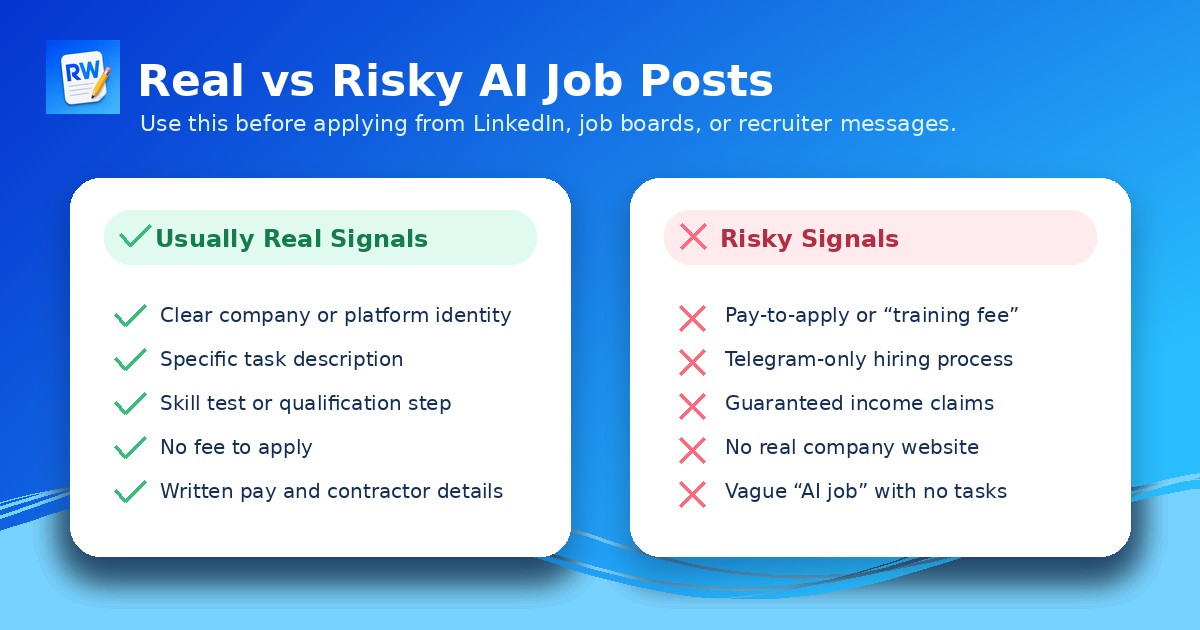
Quick test: a credible role should name the task, the company or platform, the qualifications, the assessment process, and the pay structure or contractor terms.
What Your LinkedIn Profile Should Say
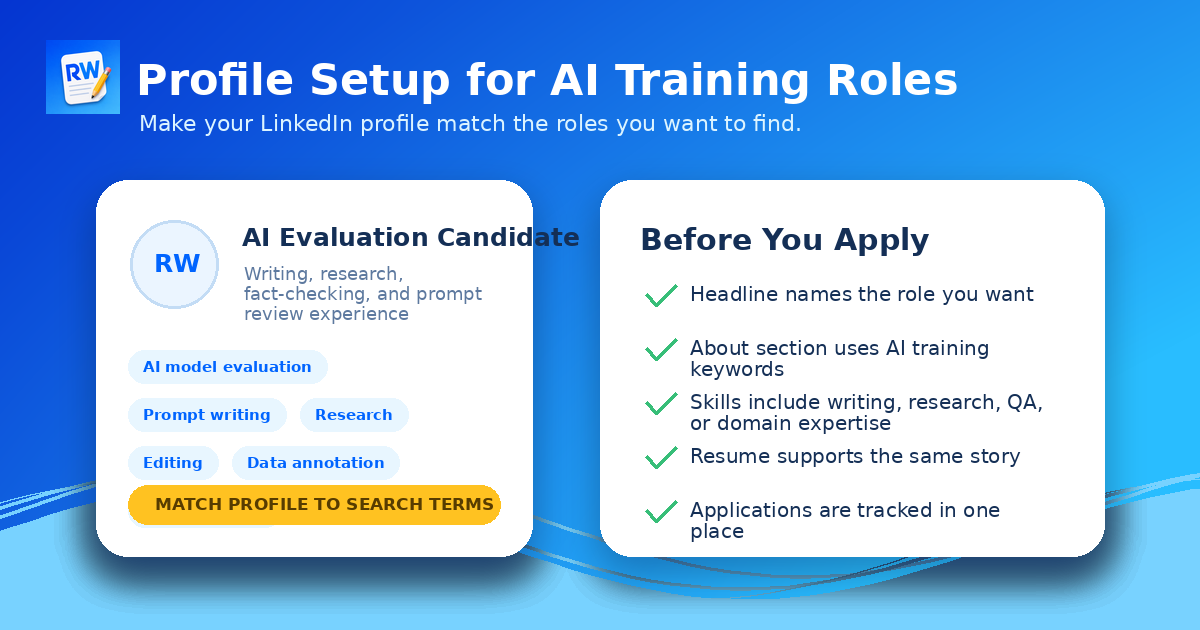
Your profile should make your fit obvious. You do not need to pretend to be a machine learning engineer if you are applying for AI evaluator or AI training work. Instead, show the skills that matter for human review: writing, editing, research, fact-checking, analysis, teaching, customer support, operations, law, finance, healthcare, coding, or any other domain expertise that could help you judge AI outputs.
A simple headline can work better than a clever one. Examples: AI Evaluation Candidate | Writing, Research, and Prompt Review; Legal Researcher Interested in AI Model Evaluation; Business Analyst | AI Training and Response Review; Editor and Fact-Checker for AI Content Quality. The best version depends on your background, but the structure is the same: role, skill, and AI task.
Your About section should mention the work you can do: evaluate AI answers for accuracy and clarity, compare chatbot responses, write high-quality prompt responses, identify hallucinations, fact-check claims, improve instructions, and review content for usefulness. Keep it truthful. The point is to help recruiters, platforms, and search tools connect your profile with the type of work you want.
How to Apply Without Wasting Time
Treat LinkedIn like a discovery engine, not the only place you apply. When you find a legitimate AI training platform, check its company website and application page. Some companies use LinkedIn to advertise, but the actual qualification test happens on their own site. Others use LinkedIn Easy Apply, but still require a profile, assessment, or project-specific screening later.
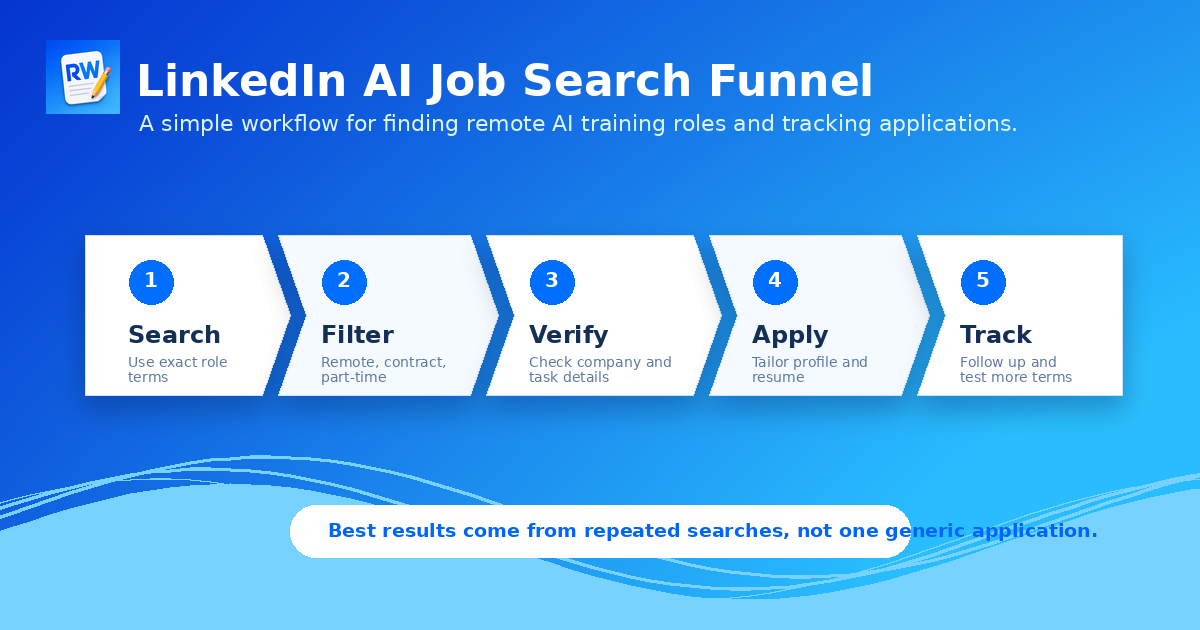
Keep a simple application tracker. Record the company, role title, link, date applied, required assessment, pay information if listed, country restrictions, and current status. This prevents you from applying to the same vague listing repeatedly and helps you spot which keywords are producing real opportunities.
Apply in batches, but do not spray the same resume everywhere. A resume for AI writing evaluation should emphasize writing, editing, research, and content judgment. A resume for finance AI evaluation should emphasize finance experience, analysis, Excel, investment research, accounting, or business judgment. A resume for coding evaluation should emphasize languages, projects, debugging, and code review.
Remote Work Union tracks legitimate remote AI training roles across top platforms. Find opportunities that match your background without sorting through vague listings.
Find Roles Hiring Now →Major AI Company Keywords: Useful, but Not Enough
Many job seekers search for OpenAI jobs, Anthropic jobs, Claude AI training jobs, Gemini AI jobs, Google AI training jobs, Meta AI jobs, Microsoft AI jobs, or similar phrases. These keywords are useful because they show interest in the companies and products shaping the market. But they do not always lead directly to entry-level or flexible AI training work.
Human evaluation work may happen through vendors, staffing partners, research programs, or specialized AI training platforms. That is why you should search both company keywords and task keywords. A search for OpenAI remote jobs may show very different results from a search for LLM evaluator remote. A search for Claude AI jobs may be less precise than Anthropic-style AI evaluation, AI safety evaluator, or chatbot response reviewer.
Use the major company names to understand the market. Use task-based keywords to find roles you can actually apply for.
A Practical Search Plan
Set up several LinkedIn searches instead of relying on one. First, search AI evaluator remote. Save the best results. Then search LLM reviewer contract. Then search AI data annotator remote. Then search prompt evaluator, RLHF rater, and AI writing evaluator. After that, run expert searches based on your background: legal AI evaluator, finance AI reviewer, healthcare AI training, education AI evaluator, coding AI evaluator, or business AI evaluator.
Next, review posts using the same terms. Look for recruiters or platforms repeatedly hiring for similar tasks. Follow company pages that post legitimate roles. Save jobs that seem credible, even if you are not ready to apply that minute. Over time, your feed and alerts can become more relevant because your activity teaches LinkedIn what you are trying to find.
Finally, rotate keywords every week. AI job titles change quickly. One company may say AI trainer while another says model evaluator. One platform may say data annotation while another says response quality review. The work may be similar even when the title is different.
Common Mistakes to Avoid
The first mistake is searching too broadly. AI jobs is not specific enough for most applicants. The second mistake is assuming every AI-related remote job is beginner-friendly. Many are senior technical roles. The third mistake is ignoring the body of the listing. The title may say AI, but the description tells you whether the job is actually model evaluation, content review, software engineering, sales, or research.
Another mistake is applying with a generic profile. Remote AI training platforms often care about clarity, accuracy, domain knowledge, and communication. If your profile does not show those skills, you are making the recruiter guess. Do not make them guess.
The final mistake is trusting a job post just because it appears on a large platform. LinkedIn can help you discover opportunities, but you still need to verify the company, the application process, and the role details. Treat every listing as a lead until it proves itself.
Final Checklist
Before applying to a LinkedIn AI job, ask five questions. Does the listing describe the actual task? Does the company or platform look real? Does the role match your skills? Does the application process avoid upfront fees and strange payment requests? Can you track the application and follow up later?
If the answer is yes, the role may be worth applying to. If the answer is no, keep searching. Real remote AI training roles exist, but they are easier to find when you search for the task, verify the post, and present yourself as someone who can evaluate AI outputs carefully. LinkedIn is useful, but it is not magic. The people who get better results usually search more precisely, apply more consistently, and match their profile to the work they want.