LinkedIn can be useful for finding AI jobs, but it can also waste hours if you search too broadly. A search like "AI jobs" usually mixes together software engineering roles, sales roles, product jobs, marketing roles, recruiter posts, promoted listings, staffing-agency posts, and vague remote opportunities that are not actually AI training work.
The better approach is to use LinkedIn as a discovery engine for specific remote AI work categories: AI evaluator, AI model trainer, prompt evaluator, data annotation specialist, AI response reviewer, chatbot evaluator, search quality evaluator, RLHF contributor, AI content editor, subject-matter expert reviewer, and remote AI research assistant. These are the types of roles where strong writing, judgment, domain knowledge, research ability, and careful review can matter as much as traditional coding experience.
This guide explains how to search LinkedIn for remote AI training roles without getting buried in irrelevant listings. It is written for job seekers who want flexible remote work, part-time AI projects, expert review work, or contract AI evaluation roles tied to platforms, staffing partners, and AI companies such as OpenAI, Anthropic, Google, Meta, Microsoft, xAI, and other companies building or improving AI systems.
What "LinkedIn AI Jobs" Actually Means
The phrase "LinkedIn AI jobs" is broad. It can mean full-time machine learning engineering jobs, product roles at AI startups, corporate AI adoption roles, or remote human feedback jobs that help improve model quality. For Remote Work Union readers, the most useful interpretation is narrower: jobs and projects where humans help evaluate, label, test, improve, or review AI systems.
These roles may appear under different titles because companies do not always use the same language. One company might call the job "AI Trainer." Another might call it "Model Evaluator," "AI Data Annotator," "Prompt Response Reviewer," "AI Content Quality Analyst," "LLM Evaluator," "Search Quality Rater," or "Human Feedback Specialist." A strong LinkedIn search strategy accounts for all of those naming differences.
That matters because many good opportunities are not posted with the exact phrase "remote AI training job." Some are posted by AI labs. Others are posted by vendors, research companies, staffing partners, or specialized evaluation platforms that work with AI companies. If you only search one term, you may miss roles that fit your skills.
Start With Specific Search Terms
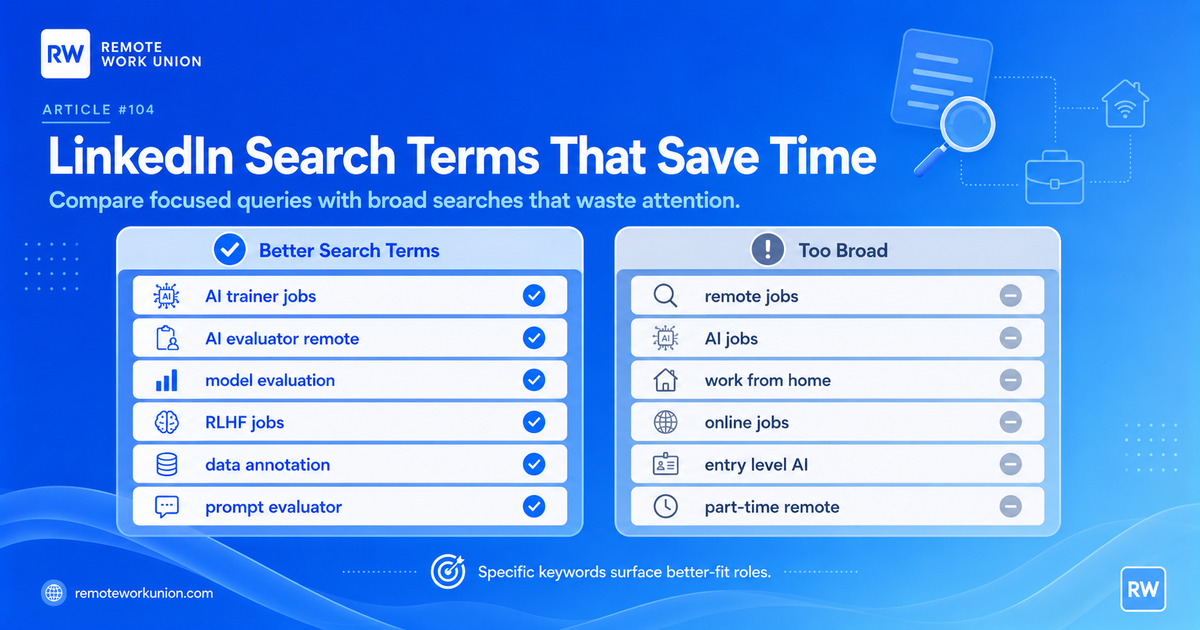
The fastest way to improve your LinkedIn results is to stop searching like a general job seeker and start searching like someone who understands the category. Broad terms create broad results. Specific AI training terms pull up better-fit listings.
Try searches such as: AI trainer jobs, AI evaluator remote, AI model trainer, model evaluation, prompt evaluator, AI response reviewer, RLHF jobs, human feedback AI, data annotation remote, LLM evaluator, chatbot evaluator, AI content reviewer, search quality evaluator, AI tutor trainer, and subject matter expert AI.
Then combine those terms with domain keywords that describe your background. A lawyer might search "legal AI evaluator" or "legal AI trainer." A teacher might search "education AI evaluator" or "AI tutor reviewer." A nurse or medical writer might search "medical AI evaluator," "healthcare AI reviewer," or "clinical AI content reviewer." A finance professional might search "finance AI evaluator" or "accounting AI model trainer." This combination helps surface roles where your real-world expertise is relevant.
Use LinkedIn Filters Without Over-Filtering
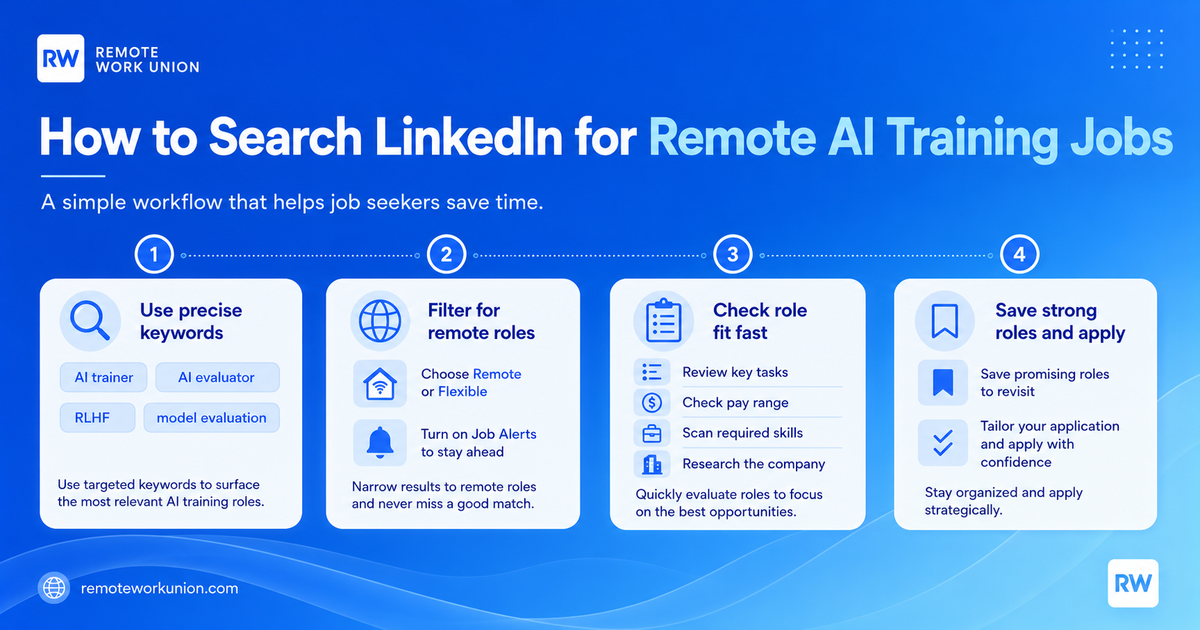
LinkedIn search filters can help, but they can also hide good results if you make the search too narrow too soon. Start with the keyword first. Then filter for remote or flexible work. After that, compare the results before adding more restrictions.
For remote AI training roles, useful filters usually include remote work, recent postings, contract, part-time, temporary, or flexible arrangements when available. Some roles are full-time. Others are project-based. Some are posted as contractor positions even when the work looks like a part-time remote job. That is why it helps to read the description before dismissing a result because the label is imperfect.
Set alerts only for searches that are specific enough to matter. A job alert for "AI jobs" may send too much noise. A job alert for "AI evaluator remote" or "model evaluation remote" is more likely to surface relevant opportunities. LinkedIn currently supports job alerts based on search criteria, so a strong search can become a repeatable monitoring system instead of a manual daily hunt.
Search Company Names and AI Product Names
Some job seekers only search by role title. That leaves out another useful tactic: pairing role terms with company and product names. Search combinations like "OpenAI evaluator," "Anthropic AI trainer," "Claude evaluator," "Google Gemini AI evaluator," "Meta AI data annotation," "Microsoft Copilot AI reviewer," "Grok evaluator," and "ChatGPT prompt evaluator."
The goal is not to assume every role is posted directly by the major AI company. Many AI training and evaluation jobs appear through partners, research vendors, staffing firms, and remote-work platforms. Searching company and product names can still help you find adjacent roles, vendor projects, and posts that mention the systems or model families involved.
Use this carefully. A posting that mentions a famous AI company or tool is not automatically legitimate or high-quality. Treat the company name as a search signal, not proof. The role still needs clear tasks, credible company information, a realistic application process, and a job description that explains what you will actually do.
Remote Work Union connects you to legitimate remote AI training and evaluation roles across multiple platforms. Apply for free.
Find Roles Hiring Now →What a Strong Remote AI Training Posting Looks Like
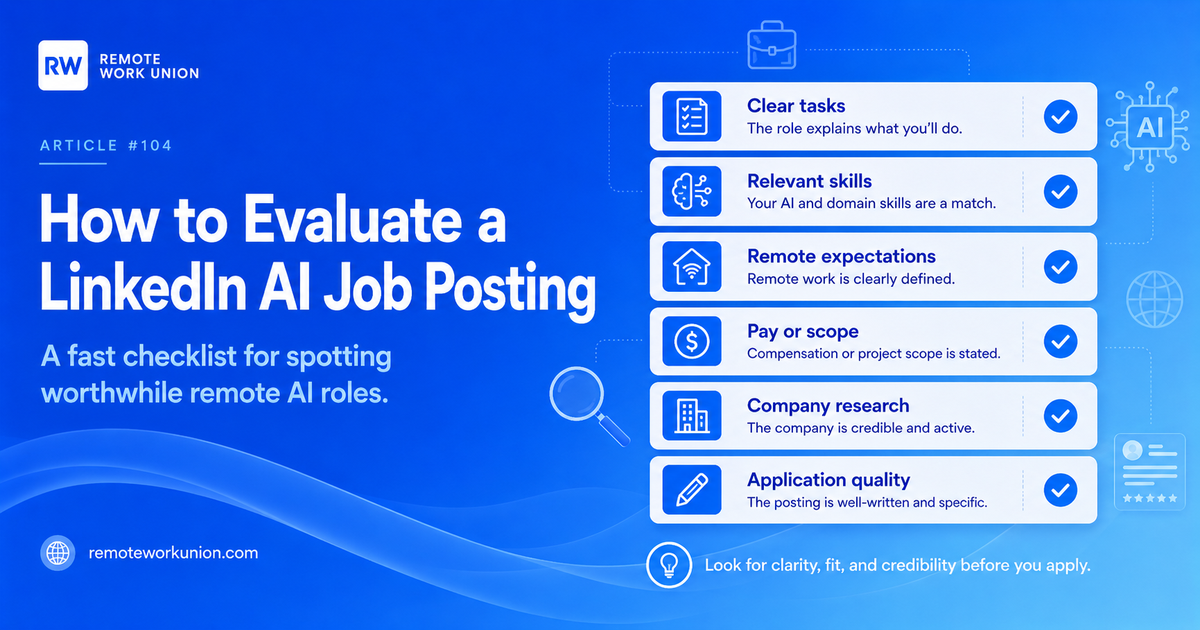
A worthwhile LinkedIn AI job posting usually explains the work in plain language. It should say whether you will evaluate AI answers, compare model responses, write prompts, fact-check outputs, label data, review search results, create training examples, score response quality, or apply subject-matter expertise to AI outputs.
The strongest postings also explain the skill requirements. For non-coding remote AI work, that may include excellent English writing, research ability, critical thinking, attention to detail, domain expertise, familiarity with ChatGPT, Claude, Gemini, Copilot, or similar tools, and the ability to follow detailed rating guidelines. Coding roles may ask for Python, JavaScript, SQL, data structures, or software engineering experience, but many evaluation roles are built for strong writers, researchers, professionals, and generalists.
Look for clarity around remote expectations. A posting should say whether the role is fully remote, hybrid, location-limited, contract, part-time, full-time, freelance, or project-based. If the title says remote but the description says otherwise, trust the description. If the description is vague, save the role only if the company looks credible and the application path is normal.
The Red Flags That Waste Time
Not every LinkedIn result is worth an application. Skip or deprioritize postings that make huge income claims without explaining the task, require payment to apply, ask you to move immediately to an off-platform chat app, hide the company identity, or use generic language like "AI job from home" without describing the actual work.
Also be cautious with roles that appear to be reposted constantly, have unclear compensation, ask for too much unpaid sample work, or use a title that sounds like AI training while the description is really sales, lead generation, customer support, or social media marketing. Those jobs may be real, but they are not the same as AI evaluation or model training work.
Tip: A simple rule helps: before applying, you should be able to answer four questions. What will I do? What skill makes me qualified? Is the work actually remote? Who is hiring or managing the project? If the posting does not answer those questions, it may not deserve your time.
A 15-Minute LinkedIn Routine
The goal is not to scroll LinkedIn all day. The goal is to create a repeatable routine that surfaces good opportunities quickly.
First, spend five minutes searching two or three focused terms. Use terms like "AI evaluator remote," "AI trainer," "model evaluation," "prompt evaluator," and "data annotation remote." Save searches that produce relevant results.
Second, spend five minutes checking the newest results. Open only postings with clear task language, remote or flexible wording, and relevant skill requirements. Save promising roles instead of applying immediately to everything.
Third, spend five minutes evaluating the saved roles. Check the company page, role description, application path, and fit with your background. Apply to the strongest opportunities with a tailored resume and a short application note that connects your skills to the role.
How to Tailor Your Profile for LinkedIn AI Jobs
Your LinkedIn search strategy works better when your profile supports the roles you are applying for. You do not need to pretend to be a machine learning engineer if you are looking for non-coding AI training work. Instead, make your profile show the skills that matter for evaluation and human feedback roles.
Useful profile keywords include AI evaluation, AI model training, prompt evaluation, data annotation, research, fact-checking, editing, writing, domain expertise, quality review, rating guidelines, ChatGPT, Claude, Gemini, Copilot, language model evaluation, and remote work. Use the terms that are true for your background.
For experience bullets, focus on judgment and outcomes. Examples: evaluated written content for accuracy, reviewed complex information against guidelines, created structured research summaries, edited technical or professional writing, assessed quality across large batches of work, or used AI tools to improve workflow. These signals help recruiters and hiring platforms understand why you fit AI review work.
Best Search Terms by Background
Different backgrounds should search differently. A strong writer should use terms like AI response reviewer, prompt evaluator, AI content editor, writing evaluator, and English AI trainer. A researcher should search AI research assistant, fact-checking AI evaluator, search quality rater, and model evaluation. A teacher can search education AI evaluator, AI tutor trainer, curriculum AI reviewer, and learning content reviewer.
Professionals with domain expertise should add their field. Legal workers can try legal AI evaluator, contract review AI trainer, compliance AI reviewer, or paralegal AI training. Finance workers can try finance AI evaluator, accounting AI trainer, financial analysis AI reviewer, and business AI evaluation. Healthcare workers can try medical AI reviewer, healthcare AI evaluator, clinical content reviewer, or nursing AI trainer when they meet the role requirements.
Coders should search differently again: coding evaluator, software engineering AI trainer, code reviewer AI, Python AI evaluator, JavaScript AI trainer, and technical model evaluation. The core principle is the same for every background: combine AI training language with your actual skill category.
How to Avoid Applying to the Same Bad Fit Repeatedly
A lot of wasted job-search time comes from applying to the same kind of weak posting over and over. Build a short tracking system. Record the company, title, search term used, remote status, pay or scope if listed, required skills, and your decision: apply, save, ignore, or research later.
After one week, patterns become obvious. You may notice that "AI jobs" returns mostly technical roles, while "AI evaluator remote" returns better project work. You may find that "data annotation" produces entry-level roles but also more low-quality postings. You may see that your best results come from pairing your field with model evaluation terms.
This feedback loop is how you improve the search. LinkedIn is not just a place to click apply. It is a keyword testing tool. Use it to learn which terms produce real remote AI training opportunities for your background.
Frequently Asked Questions
What does "LinkedIn AI jobs" actually mean for remote workers?
For most remote workers, the useful interpretation is narrower than the phrase suggests. LinkedIn AI jobs can include remote human feedback roles, AI evaluator positions, data annotation work, model evaluation projects, and prompt review tasks — all roles where humans help evaluate, label, test, improve, or review AI systems. The key is searching for specific titles like AI Trainer, Model Evaluator, Prompt Response Reviewer, or Human Feedback Specialist rather than the broad phrase "AI jobs."
What are the best LinkedIn search terms for remote AI training jobs?
The best terms are specific to the task type. Start with: AI trainer jobs, AI evaluator remote, AI model trainer, prompt evaluator, AI response reviewer, RLHF jobs, human feedback AI, data annotation remote, LLM evaluator, and chatbot evaluator. Then combine with your domain — for example, "legal AI evaluator" or "finance AI model trainer." Set job alerts for your strongest two or three searches to make the process repeatable.
How do I use LinkedIn filters without hiding good remote AI training results?
Start with your keyword search first, then add the remote or flexible work filter. After that, review the results before adding more restrictions. Adding too many filters at once — especially location, experience level, and date range simultaneously — can hide good contract, part-time, or project-based roles. Some AI training roles are posted as temporary or contractor positions even when they function as flexible part-time remote work.
What does a strong LinkedIn AI training job posting look like?
A worthwhile posting explains the actual work in plain language — whether you will evaluate AI answers, compare model responses, write prompts, fact-check outputs, label data, review search results, or apply subject-matter expertise. It should describe required skills, clarify whether the role is fully remote, and outline the application process. If you cannot answer "What will I do?", "What skill makes me qualified?", "Is the work remote?", and "Who is hiring?" after reading it, the posting may not be worth your time.
How often should I check LinkedIn for new remote AI training roles?
A daily 15-minute routine works well. Spend five minutes searching two or three focused terms, five minutes reviewing the newest results and saving strong listings, and five minutes evaluating saved roles to decide which to apply for. Setting job alerts for specific terms like "AI evaluator remote" or "model evaluation remote" means LinkedIn can do the monitoring work between sessions.